> ## Documentation Index
> Fetch the complete documentation index at: https://paxos-0ac97319-jg-test-1.mintlify.site/llms.txt
> Use this file to discover all available pages before exploring further.
# Migrate to the Dashboard
> Switch to the Dashboard and access new features and improved workflows.
We are rolling out the Paxos Dashboard to more institutional account holders!
When you see a banner invite in the [Wallet UI](https://account.paxos.com/), your organization is eligible to start using the Dashboard.
Have an individual account?
Use the [Wallet UI](https://account.paxos.com/).
Migrating to the Dashboard takes a few minutes, and requires verifying your email address and creating a [passkey](https://www.passkeys.com/what-are-passkeys).
**Questions about passkeys?**
Start by contacting your IT organization. Your company may already have policies for using passkeys and can provide support when creating and using a passkey.
Paxos recommends saving and using passkeys with:
* [iCloud Keychain](https://support.apple.com/guide/passwords/passkeys-mchl4af65d1a/mac)
* [Windows Hello](https://support.microsoft.com/en-us/account-billing/signing-in-with-a-passkey-09a49a86-ca47-406c-8acc-ed0e3c852c6d#)
* [Google Account](https://support.google.com/chrome/answer/13168025)
* [1Password](https://support.1password.com/save-use-passkeys/)
* [Proton Pass](https://proton.me/support/pass-use-passkeys)
* Other third-party password managers that enable passkey synchronization across devices
Learn more about [using passkeys on the Paxos platform](/guides/dashboard/passkeys) or [try the passkey demo](https://passkey.org/) on [https://passkey.org](https://passkey.org).
Until your organization is ready to switch, all balances and transactions are available in both the Dashboard and the [Wallet UI](https://account.paxos.com/).
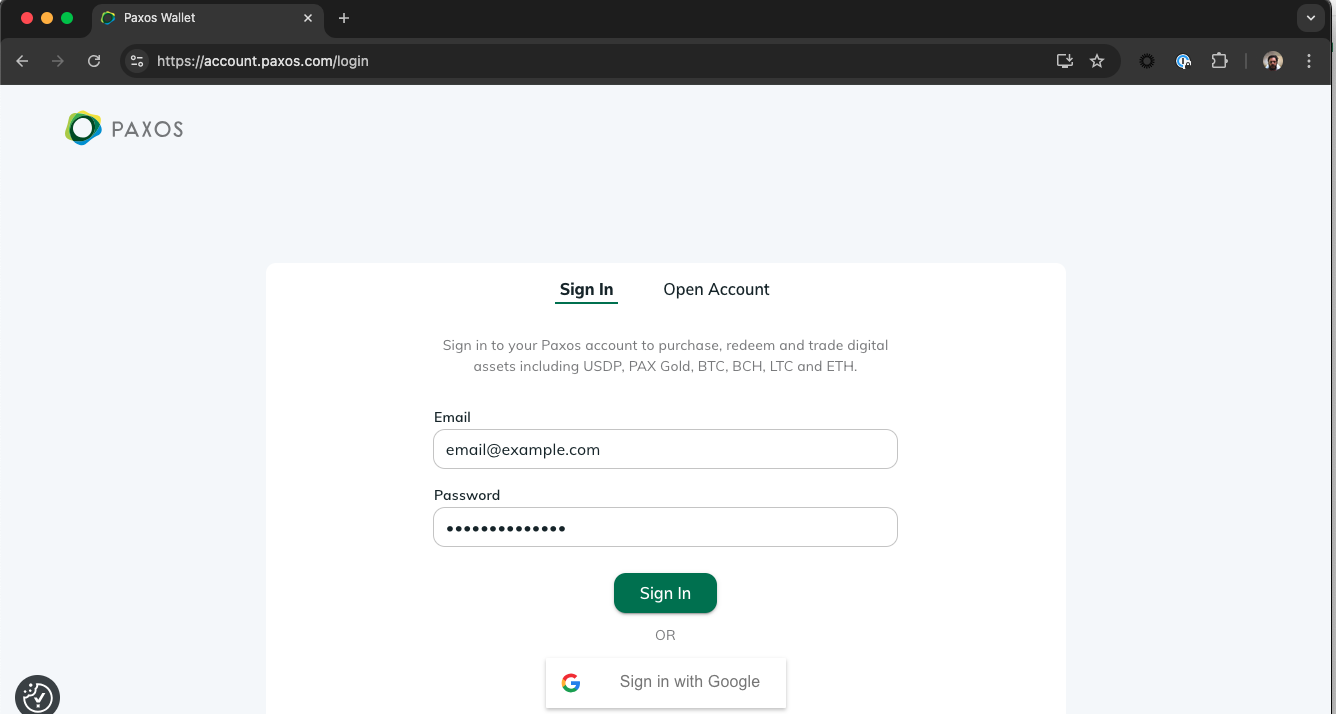
## ➊ Sign In to the Wallet UI
Go to [https://account.paxos.com/login](https://account.paxos.com/login) and sign in to the Wallet UI.
***Do not create a new Dashboard account***.
[Watch the demo →](/images/migrate.mp4)
## ➋ Start the Dashboard Migration Process
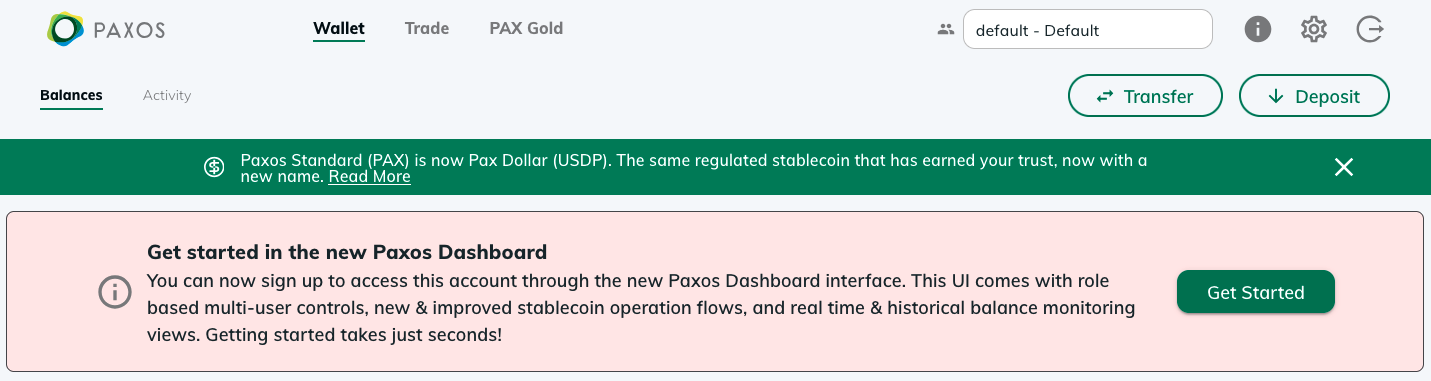
Go to [https://account.paxos.com/wallet](https://account.paxos.com/wallet) and select **Get Started** in the welcome banner then review and accept the **Terms & Conditions** and **Pricing** on the next screen.
[Watch the demo →](/images/migrate.mp4)
> Don't see the Dashboard invite?
> Some institutional account holders may need to provide additional information before accessing the Dashboard. Contact [Support](https://support.paxos.com) to get started.
## ➌ Verify your Email Address
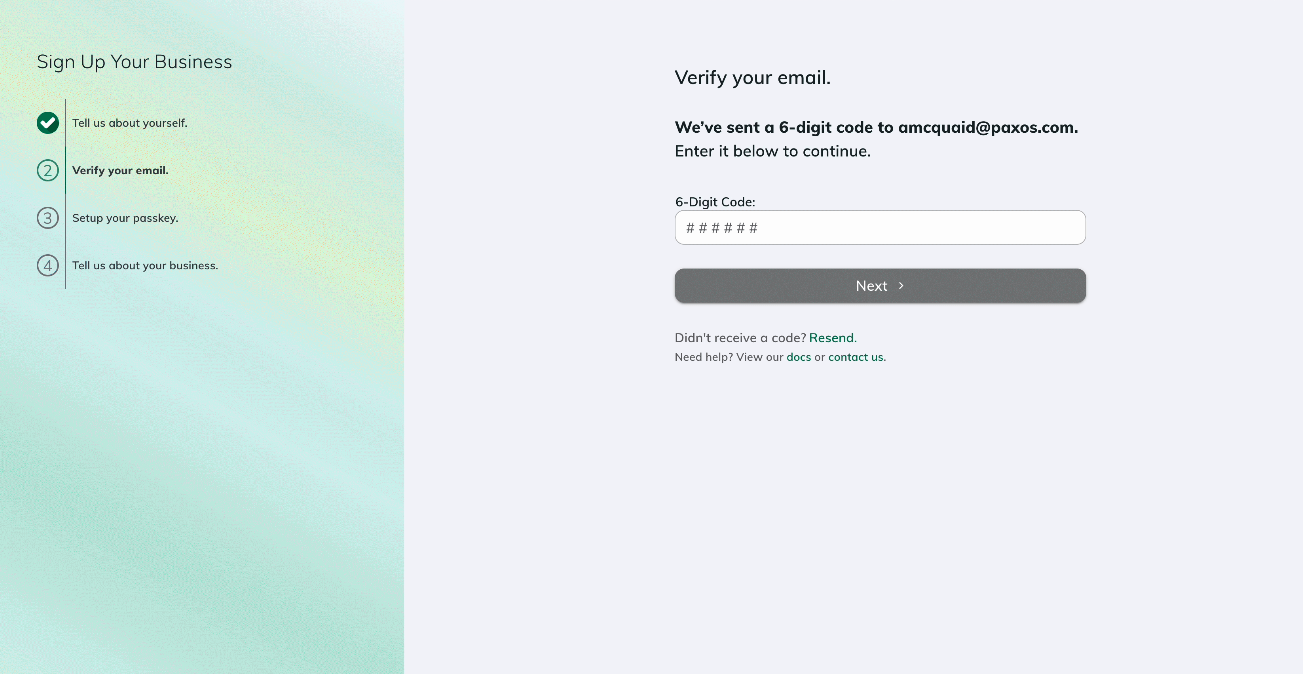
After you accept the **Terms & Conditions** and **Pricing**, we will open a new screen so you can verify your email address using the code we sent you.
[Watch the demo →](/images/migrate.mp4)
## ➍ Create a Passkey and Sign In to the Dashboard
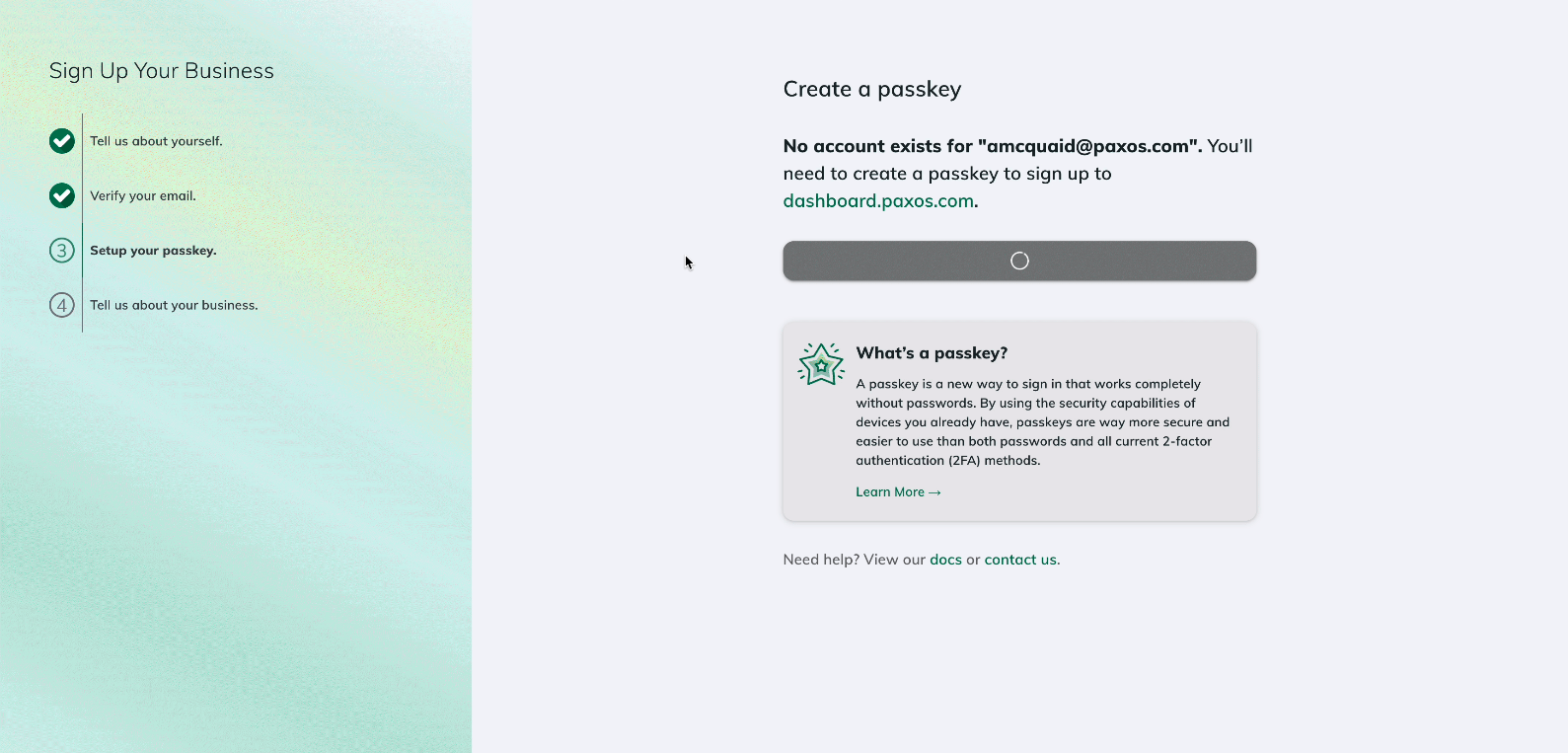
Follow the steps to create a [passkey](https://www.passkeys.com/what-are-passkeys).
We will automatically prompt you to sign in to the Dashboard once you save the passkey.
[Watch the demo →](/images/migrate.mp4)
**Questions about passkeys?**
Start by contacting your IT organization. Your company may already have policies for using passkeys and can provide support when creating and using a passkey.
Paxos recommends saving and using passkeys with:
* [iCloud Keychain](https://support.apple.com/guide/passwords/passkeys-mchl4af65d1a/mac)
* [Windows Hello](https://support.microsoft.com/en-us/account-billing/signing-in-with-a-passkey-09a49a86-ca47-406c-8acc-ed0e3c852c6d#)
* [Google Account](https://support.google.com/chrome/answer/13168025)
* [1Password](https://support.1password.com/save-use-passkeys/)
* [Proton Pass](https://proton.me/support/pass-use-passkeys)
* Other third-party password managers that enable passkey synchronization across devices
Learn more about [using passkeys on the Paxos platform](/guides/dashboard/passkeys) or [try the passkey demo](https://passkey.org/) on [https://passkey.org](https://passkey.org).
## Next Steps
Once migrated, start exploring the Dashboard's new features and improved workflows.
The [Dashboard](https://dashboard.paxos.com) comes with more self-serviceability, new stablecoin orchestration [mint](/guides/dashboard/mint), [convert](/guides/dashboard/convert) and [redeem](/guides/dashboard/redeem) flows, the ability to collaborate with more users from your organization, and [enterprise-grade access controls](/guides/dashboard/admin/team).